
Download Document Reader 2023 – document reader, PDF viewer, file manager, office suite, mobile productivity
Overview
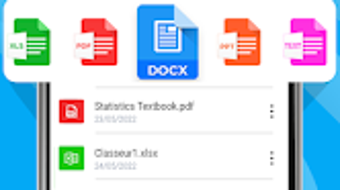
Document Reader 2023 is a mobile productivity tool designed to simplify document access and management on Android devices. The application enables users to open, view, and organize various file formats directly from their smartphones, eliminating the need to rely on a computer for document handling. It supports a wide range of formats including PDFs, Word documents (DOC, DOCX), Excel spreadsheets (XLS, XLSX), presentation files (PPT, PPTX), and plain text (TXT). This makes it particularly useful for students, professionals, and business users who require quick access to academic or work-related materials while on the move.
Designed with usability in mind, the app offers a clean and intuitive interface that allows for seamless navigation. Users can browse through their files, preview content, and perform basic actions such as creating, editing, and sharing documents. A notable feature is the one-click conversion of any supported file into a PDF, streamlining workflows for users who need standardized document formats. The developer has emphasized performance optimization and reliability, positioning the app as a lightweight yet capable solution for mobile document management.
Although the developer’s background is not detailed beyond the name “Office Reader 2023,” the app’s functionality and structure suggest a focus on practical, everyday use. It is ideal for individuals seeking a secure, ad-free, and efficient way to handle documents without the overhead of complex software. The app is accessible via the Google Play Store and is available at no cost, making it a valuable resource for users prioritizing convenience and accessibility.
Key Features & Capabilities
- Multi-format Support – Open and view PDFs, DOC, DOCX, XLS, XLSX, PPT, PPTX, TXT, and more, ensuring compatibility with common office file types.
- One-Click PDF Conversion – Convert any supported document into a PDF format instantly, ideal for standardizing file sharing and archiving.
- Document Management – Create, edit, and organize files directly within the app, enhancing on-the-go productivity.
- Reading Experience – Offers a book-like layout for PDFs, improving readability during extended viewing sessions.
- File Sharing – Easily share documents via email, messaging apps, or cloud services directly from the application.
These features cater to real-world scenarios such as reviewing lecture notes during transit, preparing a report using a spreadsheet on a tablet, or presenting a slide deck during a client meeting. The ability to convert files to PDF ensures consistency across platforms and devices, reducing formatting issues. The app’s integration with Android’s native file system allows users to access documents stored locally or in cloud storage services. While advanced editing tools are not specified, the core functionality supports essential document workflows for mobile users.
User Interface, Workflow & Performance
Document Reader 2023 features a streamlined user interface with clear navigation paths, enabling users to locate and open files with minimal effort. The layout prioritizes accessibility, placing frequently used functions within easy reach. Menus are logically organized, and file previews are displayed in a clean, readable format. This design enhances workflow efficiency, particularly for users managing multiple documents across different projects.
Navigation is intuitive, relying on standard Android gestures and menu structures, which reduces the learning curve for new users. The app responds promptly to user input, suggesting efficient processing of file operations. However, specific performance data such as CPU or RAM usage were not provided by the developer. General software behavior patterns indicate that the app maintains stable operation under typical usage conditions. The developer did not specify resource usage details, so users should monitor performance based on their device’s capabilities.
Stability appears to be a focus, as the app is described as optimized for performance and efficiency. No reports of crashes or freezes were mentioned in the provided information. The absence of ads and in-app purchases contributes to a smoother user experience. Overall, the interface and workflow are well-aligned with mobile productivity expectations, offering a reliable environment for document interaction.
Compatibility & System Requirements
Document Reader 2023 is designed for Android devices and is compatible with the operating system as of its release. The application is available in version 1.2.1, with a download size of 12.5 MB, indicating a lightweight footprint suitable for devices with limited storage. The developer did not provide additional system requirements, such as minimum RAM, processor speed, or Android version compatibility.
Platform compatibility information is limited, and exact hardware or software prerequisites were not listed. Users should verify compatibility with their specific device model and Android version. The app is distributed through the Google Play Store, which typically enforces baseline compatibility checks. However, for users with older or non-standard Android systems, performance may vary. The developer has not indicated whether the app supports external storage access beyond standard file paths.
Pros and Cons
Pros
- Supports a wide range of file formats including PDF, DOC, XLS, PPT, and TXT.
- One-click PDF conversion simplifies document standardization.
- Lightweight size (12.5 MB) ensures quick installation and minimal storage use.
- Free to download with no ads or in-app purchases.
- Intuitive interface designed for ease of use on mobile devices.
Cons
- Exact system requirements were not specified by the developer.
- Advanced editing tools were not detailed in the provided information.
- Performance under heavy usage or on low-end devices was not documented.
- Support for cloud storage integration was not confirmed.
- Developer contact details are limited to email, with no public support channels.
FAQ Section
Is Document Reader 2023 compatible with all Android devices?
Compatibility is confirmed for Android, though specific version requirements were not provided. Users should check their device’s Android version and ensure it meets the app’s baseline requirements.
Is the app safe to download and use?
Document Reader 2023 is available via the Google Play Store, which provides security screening. The developer has published a privacy policy and terms of service within the app, supporting transparency and user safety.
Does the app require an internet connection?
Basic viewing and management of local files do not require an internet connection. However, certain features like cloud sharing or updates may need connectivity.
How often are updates released?
Update frequency was not specified. The current version is 1.2.1, and users are encouraged to keep the app updated through the Google Play Store for optimal performance.
Can I use Document Reader 2023 offline?
Yes, the app supports offline usage. Users can access and manage documents stored on their device without requiring an internet connection.
Final Thoughts
Document Reader 2023 stands out as a reliable, lightweight, and accessible tool for managing documents on Android. Its broad file format support, user-friendly interface, and one-click PDF conversion make it a strong choice for students, professionals, and mobile users who need to stay productive on the go. The absence of ads and in-app purchases enhances the user experience, while the free availability increases its appeal. Although system requirements and advanced functionality details are limited, the app delivers on core promises with a focus on simplicity and efficiency.
For individuals seeking a secure, fast, and ad-free way to view, convert, and manage documents on their smartphones, Document Reader 2023 offers a compelling solution. Its design and functionality align well with modern mobile productivity needs.
Download Document Reader 2023 now







